Archive
Server Consolidation and Virtualization for Mid-sized Businesses
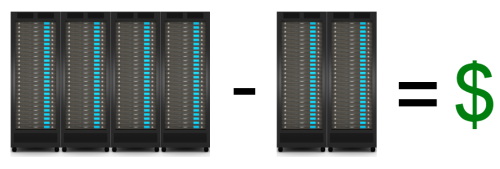 To engage in a server consolidation project, means that you have something in mind for your business through cost savings, delivery improvement or business realignment. But, regardless of the reason, server consolidation has the side effect of lowering costs and that, in itself, is reason enough to expend the energy for such an undertaking. What about incorporating a virtualization project into the overall picture? Server consolidation is, by design and by definition, a money-saving undertaking, so why consider adding cost back into your data center with virtualization. The answer, of course, is cost savings.
The old business adage, “You have to spend money to make money,” holds true for virtualization. Virtualization will cost you money. You have to pay for host hardware, software licenses, training, network setup and possibly reworking power to the racks (if you switch to blade servers). It’s hard to see how such a large financial commitment makes financial sense but it does in terms of total cost of ownership (TCO). Consolidation and virtualization are the means to the end, which is that of cost-savings.
Exploring Server Consolidation
Server consolidation is a labor and time intensive project for you and your staff. It takes time to assess which systems have the capacity to share workloads and which ones are idle. You’ll find that the process leaves you with spare systems or ones that can be redeployed. You should plan to decommission systems that are at or near their end of life (EOL) date. Additionally, you should consider decommissioning or repurposing systems that you find to be underutilized.
Once the numbers are in on your consolidation efforts, you can then turn your attention toward moving to a virtualized infrastructure from a purely physical one. You should also consider moving toward some cloud-based services to better leverage your computing and labor resources. Virtualization coupled with cloud computing services and storage creates an “always on” environment for you and your customers. Cloud computing might also have the unexpected effect of lowering your computing overhead costs by allowing you to outsource services and labor to external providers.
Assessing Performance
Before you can do any real consolidation work, you have to gather some empirical data on your systems’ performance. Don’t take this phase of the project lightly or rush it. You need to know utilization data for each system in your inventory that’s included in the project. Focus on systems whose average utilization is below 40 percent for a first pass. Idle systems, or those that are mostly idle, are prime candidates for consolidation. Secondarily, turn your attention toward systems whose hardware is overworked. Moving workloads works both ways in a consolidation effort.
Decommissioning Hardware
Hardware within six months of EOL should be marked for decommissioning. Any other hardware not suitable as a virtual machine host or other standalone system workload (Domain controller, database server, etc.) should also join the decommission list. One of the primary purposes of a server consolidation and virtualization exercises is to minimize the number of physical systems in an environment to virtual machine hosts and a few physical workload systems.
Migrating to a Virtual Infrastructure
Moving your systems from a physical state to a virtual one is easy. For physical systems that must remain ‘as is,’ use a Physical to Virtual (P2V) conversion tool such as VMware’s Converter, Microsoft’s System center Virtual Machine Manager, PlateSpin Migrate, Quest’s vConverter or Citrix’s XenConvert. Whatever tool you use, you’ll probably want to use one that features live migration, which means that you can convert a live (running) system to a virtual machine without interruption.
Your other conversion option is to install a fresh virtual machine and setup its applications, users, domain membership and networking, while its physical counterpart is still in production. Duplicate the physical system in virtual form and then, just before switchover, copy all data to the new system, change the IP address, change the system name and then reboot. The length of the process depends on how much data you have to copy. It is preferable to keep both machines live and available until the virtual machine cutover has been verified as production ready. The physical system will have to be renamed and setup with a new IP address to maintain network integrity during the testing phase.
Considering Cloud-based Services
One of the biggest surprises to any virtualization effort is storage. It’s shocking to realize how much storage you require for your virtual infrastructure. For this reason, it’s wise to seriously investigate cloud-based storage services for your virtual infrastructure. It’s easier but often less cost effective to use private cloud storage. If you choose not to use cloud-based storage for your primary storage needs, then you should certainly entertain the use of it for disaster recovery (DR) and archival purposes.
Cloud-based services can also include application hosting or adding additional bandwidth on demand for your computing environment. For example, you can create additional virtual machines on a cloud provider site at a very low cost. Keep those virtual systems powered off until you need the extra bandwidth and only use them during peak periods, such as those high traffic times associated with promotional events. Cloud services are an excellent and cost-effective way to extend your reach at a very low comparative cost.
Reaping the Rewards
Once you’ve created your virtual infrastructure for the server consolidation move, your cost accounting job begins. Consider that a lot of the work performed by multiple groups shifts to your virtual infrastructure administrators, who typically are system administrators. This group handles the host system operations, the virtual network creation, virtual switch creation, VLAN setup and virtual machine maintenance.
Having a virtualized infrastructure also means that you’ll need fewer people managing the environment, since it’s now self-contained in its own virtual realm. You’ll need a SAN or NAS storage team, a network team and a system administrator team. Of course, your database administrators, developers and applications support won’t change but you should be able to operate with fewer primary support staff.
The principal reason for the reduction in primary support staff members is that you have only a few physical systems. For example, rebooting a physical system is risky because it can hang on a hardware error or require a ‘reseat’ in the case of a troubled blade system. There are no such problems when dealing with virtual machines. When a virtual machine hangs on boot, several actions that a system administrator may take require no direct physical intervention. It is also this location independent quality of virtualization that allows companies to outsource support to third-party companies at a lower cost compared to that of in-house employees.
Notes for Mid-sized Businesses
Don’t be intimidated by the thought of moving to a virtual infrastructure, whether you’re at the low end of mid-sized or close to the high end, virtualization has something to offer you. Consolidation and virtualization can take that overfilled server room and turn it into an efficient workspace for your commercial and internal applications. It means business agility for you so that you can respond to changing customer needs and to a business climate that is always in flux. Virtualization means that your business is also more mobile than ever before.
Should you decide to move to a cloud-based infrastructure and away from self-hosted applications, you can move your virtual machines to a cloud provider without losing any productivity or business continuity. You’re no longer tied to a single location or to a single data center. Your consolidation and virtualization efforts pay off in many ways: mobility, agility, scalability and frugality.
Summary
For many IT shops and companies, server consolidation and virtualization are different steps in the same process, although they don’t have to be. Each process can stand on its own. Server consolidation projects are common in data centers, when hardware inventories discover system sprawl or when clever administrators uncover idle systems. Virtualization activities often revolve around the desire to save money by decreasing the number of physical systems taking up rack space.
Both activities will save you money but server consolidation has a more immediate and dramatic effect on the bottom line. Virtualization can cost a lot of money but is a longer-term investment. The best advice is to request proposals from vendors and look at the numbers with the knowledge that virtualization reduces your TCO in spite of the up-front costs. Remember that fewer physical systems mean lower costs, fewer required staff members and less direct interaction with the computing environment. The time, effort and money you invest in server consolidation and virtualization pay off in ultimate savings for your company.

This post was written as part of the IBM for Midsize Business program, which provides midsize businesses with the tools, expertise and solutions they need to become engines of a smarter planet.
Delivering Dynamic Web Content via Three-Tier Architecture
 Web Application Servers are nothing new in the tech world but many business managers, application developers and systems administrators still don’t understand what they are or why they’re needed. The Three-Tier Architecture allows architects and developers to create a dynamic and relatively secure method of delivery dynamic content to users. Web Application Servers are the key component in this three-tiered delivery model. A Web Application Server (WAS) not only delivers dynamic content but it also contains the business logic, the business rules, the data access and a modulated connectivity path between the data and the data consumer or user.
Three-Tier Architecture (3TA) is the design that results from splitting individual services onto multiple systems and into multiple layers—both physical and logical.
Logical vs. Physical Architecture
3TA consists of three distinct tiers or layers: Presentation, Application and Data. When speaking of 3TA, most discussions refer to the logical architectural layout. Logically, the Presentation Tier consists of client computers and web services that provide the user interface. The middle or Application Tier contains the business logic, the rules for information processing and the data access components. The Data Tier contains the data and data storage.
The Presentation Tier or layer deals with user interaction and user experience. This layer transmits requests from the user and presents the responses back to the user in a readable format. The Application or middle Tier receives requests and either responds directly back to the user or queries the datastore and configures a response for the user.
The third tier is the Data Tier and its purpose is to store data and to provide that data via requests from the Application Tier. The Data Tier never comes in direct contact with the Presentation Tier.
Three-Tier Design Advantages and Disadvantages
Advantages
- Scalable Design – The addition of new servers and load balancing can grow an environment to accommodate large numbers of client connections.
- Parallel Development – Developers and DBAs can work simultaneously and independently on the different layers (tiers).
- Superior Performance – Separation of CPU-intensive, memory-intensive and I/O-intensive operations increases and extends performance of all components.
- Increased Security – Physical and logical separation of components can increase security.
- Improved Availability – Redundant server members decrease the severity of outages.
Disadvantages
- Design Complexity – Multi-tier architecture is more difficult to implement than single tier.
- Increased Maintenance – Designated systems (Web, Application and Database) often have their own maintenance schedules and windows that might prove cumbersome to production.
Physically, the servers have separation from one another as well. Client systems are part of the Presentation Tier and remotely located (physically separated) from the other tiers. To further separate the Presentation Tier from the Application Tier, architects place web servers in a DMZ so they’re network connectivity faces the Internet on one side and the corporate LAN on the other. On the LAN side, a firewall limits the TCP/IP connectivity to a few destinations: The Application Servers. This limited connectivity reduces the attack surface for would-be intruders.
Connectivity constraints between physical tiers continue from the Application Tier to the Data Tier. Architects further isolate database systems and data storage by only allowing database access from the application servers in the Application Tier. And, only the database systems directly access data storage.
This isolation of tiers is not only a security measure but also one of performance and one of availability. By imposing limits on the number of connection origins, from the web servers to the application servers and from application servers to the database servers, the potential for capacity overload is very low. Additionally, by spreading the load over multiple web servers, multiple application servers and even multiple database instances via load balancing mitigates performance problems due to high traffic bursts.
For availability, multiple systems provide a resource pool that creates a cushion against service outage in case of a single system’s failure. Administrators will remove the failed system from load balancing until it’s replaced or repaired.
Application Server Role
The role of the application server or the WAS is to receive requests for dynamic data from web servers, to filter and to shuttle those requests to the database, to gather and to organize the requested data and to deliver it back to the user. The application server also performs security checks including verification, validation and authentication. Developers usually implement some sort of data “scrubbing” routines into the application server’s processing to eliminate the presentation of duplicate records, incomplete records or NULL results.
Application Server Software
There are two major contenders in the application server software market: Java (Oracle) and .NET (Microsoft). The Java application server is a cross-platform language and runtime environment, which means that it is platform independent and that it maintains compatibility with Windows, Linux, UNIX, Mac and other server platforms. Microsoft’s .NET only operates on the Windows operating system although there is a project currently underway whose purpose it is to port .NET applications to Linux.
The Advantages of Well-Designed Architecture
Although anyone can find numerous examples of Three-Tier designs and Web Application How-Tos on Internet sites, there’s no substitute for a professionally crafted data-backed web application. To maintain a web application infrastructure, requires a trained team of IT professionals including: System administrators, DBAs and application developers. But, no matter how good your support staff is, a poorly architected web application solution will never provide you with the service you expect from it. In a Three-Tier web application, make sure that you have an adequate number of web servers available to accommodate the amount of traffic you expect because your web servers will be very busy.
Some architects use a combination of physical web servers and virtual web servers that administrators spin up to adjust for high traffic times (during special promotions, for example).
Apply weighted load balancing to your web servers and to your application servers. Also enable session affinity (sticky sessions) in your load balancing setup. Using session affinity at this level greatly simplifies some of the session management in the application.
The Pre-Production To Do List
During the pre-production phase of your web application launch, a few things need to happen. The first is load testing. You need an experienced load tester to place stress on your system to make sure that it can handle many simultaneous users. On the user interface side, you should enlist a software tester to ensure that your interface is intuitive and not easily broken by erroneous input. Additionally, you need a representative group of users to provide feedback on the user interface. Finally, you should have a security audit performed on the environment to include penetration testing and vulnerability testing.
Summary
When the need arises for your application to go public or to reach a large audience, you need to move to a scalable and manageable architecture. Three-tier architecture is one very good answer to that problem. 3TA is true data center architecture that includes a security component, a performance component and an availability component. Put them together and you’ve built a near-unbreakable service for your intended user base. The best web application service begins with exceptional design and ends with happy customers.
This post was written as part of the IBM for Midsize Business program, which provides midsize businesses with the tools, expertise and solutions they need to become engines of a smarter planet.
The Linux Command Line (Book Review)
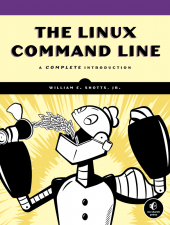 The Linux Command Line
A Complete Introduction
by William E. Shotts, Jr.
© No Starch Press 2012
$39.95 Retail, $26.37 Amazon.
The Linux Command Line (TLCL) is the book I wish I’d had on my bookshelf back in 1995, when I first started using Linux. Shotts left nothing out in this 430 page manuscript. Not only does he cover the basics but he gives information for all user levels. If you don’t learn something by reading this book, then you should have written your own.
The thirty-six chapters include everything from “What is the Shell” to “A Gentle Introduction to vi” to many chapters on shell scripting.
Shotts does an excellent job of giving readers a solid scripting background to very advanced techniques in Part 4 of TLCL. Part 4 is my favorite part of his book and I’m glad he dedicated twelve chapters plus a bonus chapter to this essential System Administrator (SA) function. The bottom line is that you can’t get a Linux SA job without knowing how to write shell scripts. Keep this book handy when you write your own scripts as no one but Shotts perhaps can keep this much scripting information in his head.
The Linux Command Line really does for Linux what Essential System Administration (O’Reilly – A. Frisch) did for UNIX administrators a decade or so ago. Shotts gives you everything you need to manage Linux systems in this book plus a few extras.
Overall, the book is a win and I happily give it a 10/10. The only thing wrong that I could find is that Shotts chose to include a chapter on Regular Expressions in Part 3: Common Tasks and Essential Tools. What’s wrong with that, you ask? I hate regular expressions.
However, Shotts provides me with a little (hopefully intended) tongue-in-cheek inspiration for learning and relearning them with, “A good understanding will enable us to perform amazing feats, though their full value may not be immediately apparent.”
Shotts even included my special vi secret trick of using Shift-zz to save and exit. Bravo!
I recommend this book to anyone who is or who aspires to be a Linux SA. I’ll personally keep it within easy reach of my keyboard.
Review: 10/10
Recommendation: Highest

 Techopedia
- An error has occurred; the feed is probably down. Try again later.
Datamation
- USA₮ Modernizes American Payments with High-Impact St. Patrick’s Day Activation in Times Square
- Google and NextEra Strike AI-Powered Grid Deal
- NYT Sues Perplexity AI in Copyright Conflict
- Cloudflare Outage Affects Major Websites
- OpenAI Forces AI to Confess Its Lies
- OpenAI Declares Code Red as Google’s Gemini 3 Threatens ChatGPT
- Coupang Breach Exposes 33.7M South Koreans’ Data
- ChatGPT Celebrates Third Anniversary
- Asahi Group Reveals Findings of Cyberattack
- OpenAI Discloses Mixpanel Security Incident Affecting Some API Users

 The Frugal Networker
You must be logged in to post a comment.