Archive
The Intention Economy (Book Review)
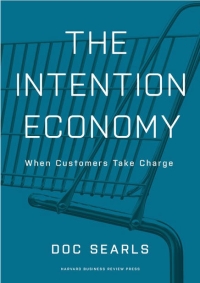 The Intention Economy
When Customers Take Charge
by Doc Searls
© Harvard Business Review Press 2012
$27.00 Retail, $17.82 Amazon.
I was intrigued by the fact that Doc Searls wrote this book, so I asked for a review copy. To my surprise, his assessment and overview of what he calls, “The Intention Economy” is very close to my own opinions. I’ve followed Searls’ writings for years and the book has his voice and the quality of perspective that I’ve come to expect from him. No disappointments here.
This book should probably be used as a supplement to any college-level economics class as required side reading. Its 250 pages are quick reading but chock full of information. In fact, Searls takes you through some history, The Internet, Economics, Vendor Relationship Management, Customer Relationship Management and business in general.
There’s one particular aspect of the book that I really like–at the beginning of each chapter, he has an introductory segment named, “The Argument” that presents the flavor of that chapter’s contents. In the chapter itself, Searls provides support for his “argument” with informative dialog and illustrative specific examples from the business world. At the end of each chapter, he provides his chapter summary named, “So, Then,” which is really your takeaway from the chapter’s contents.
Here’s an example of each from Chapter 7 titled, “Big Data.”
The Argument:
Producing and integrating data sets of all sizes can be a good and useful thing–especially if customers get to do it too, with their own data.
So, Then:
We wouldn’t need to be tracked if we weren’t being cattle And we won’t solve the privacy problem until customers appear to vendors in human form.
If you have any curiosity at all about business, economy or how businesses and consumers will lead tomorrow’s economy, this book is a must read. The most important business conversations in a century are about to take place and if you aren’t informed, you’ll be left behind with last century’s business models guiding you.
You can’t read this book without learning something. Its easy reading style and unpretentious language is equally enjoyable for the armchair observer or the most motivated corporate bigshot. I recommend it for anyone who wants to have a jump on their competition.
Review: 10/10
Recommendation: Highest
The Artist’s Guide to GIMP, Second Edition (Book Review)
 The Artist’s Guide to GIMP, Second Edition
Creative Techniques for Photographers, Artists, and Designers.
by Michael J. Hammel.
© No Starch Press 2012
$39.95 Retail, $21.07 Amazon.
I used to think that Adobe’s Photoshop was the only available advanced creative tool of its kind. And, if you deal with graphic arts people, you might think that too. However, there is a free software program named GIMP (GNU Image Manipulation Program) that has many of the same features as Adobe Photoshop and a few that it doesn’t. If you’ve never heard of GIMP, you need to discover it for yourself.
Although many people associate GIMP with Linux, GIMP actually runs on a variety of operating systems including Windows and Mac OS X. That’s the first “GIMP has it and Photoshop doesn’t” feature that you need to know about. Since 1984, when the first little Mac Classic hit the market, graphic designers assumed that Mac was the only creative platform. Adobe attempted to change that by offering Photoshop on Windows. And, sure, some designers use Photoshop on Windows now.
When Linux became more mainstream, a few clever programmers decided that it’s time that its users have a first class design tool like Photoshop. GIMP was born. Now, you’ll find Linux-powered GIMP stations in Hollywood, in major design firms, architectural offices and in homes.
Since GIMP has become such a widely used graphics manipulation tool, someone needed to create a good book about how to use it. Several books exist that teach users how to use GIMP but The Artist’s Guide to GIMP is unique: It’s aimed directly at creative professionals as well as home hobbyists.
The major problem that this book solves for the reader is that it teaches you how to get the effects and fixes you need on digital images. Face it, digital photography is cool and perfect for the hedonist in us all but do we always take the best photographs with our new $1,000 digital SLR cameras? Certainly not.
GIMP comes to your rescue. Author Hammel shows you how to fix, manipulate and perfect your images.
One of my favorite tutorials is the one he calls “Miniaturizing a Scene.” This is the Tilt-Shift effect that you’re able to get with the old 4×5 format bellows cameras. Today’s cameras can’t quite recreate that same look. But, with GIMP you can come pretty close.
In my opinion, his tutorial on photo restoration is worth ten times the price of the book. Hammel takes you through the entire process of taking an old folded, discolored photo and making it look like you captured it five minutes ago using your new DSLR on monochrome mode. That six pages could put you into your own lucrative photo restoration business. You’ll need a quality scanner, GIMP, The Artist’s Guide to GIMP, 2nd Edition and some business cards.
If that weren’t enough, he also shows you how to take a regular photo and give it an antique look.
Did you ever see those really cool texture effects or interesting shadowed photos and think, “Wow, that must be a great photographer to capture that light and shadow at just the right moment.” Well, it might have been true but as any good analog (film) photographer will tell you, “The magic happens in the darkroom.”
The same goes for digital photography. The magic happens in the digital darkroom or GIMP, as I like to call it.
The book is a different format than other No Starch Press books that I’ve seen. This one is in landscape mode and has a real photograph on the cover. Its 300-ish pages would fill 500 in standard format. So, put on your reading glasses, fire up GIMP on your computer and start working on those photos. Red light not needed.
The book also includes non-photographic techniques as well. Hammel shows you how to create web graphics, type effects and much more.
It would be hard to find someone who knows more about practical GIMP use than Hammel–he has it down. He also knows how to teach you. If I could find one thing wrong with the book, it’s that the format is a bit awkward to use for me. I know why No Starch made it in landscape mode–so that you can have it open while working with it and not have to hold the book open. I get that. But, for me it’s a little flippy-floppy and hard to control, when reading it. There’s no perfect format for a book like this except maybe spiral-bound but they aren’t as durable.
In all, it’s a very good book. You don’t have to read it from front to back–you can hunt for an effect or a fix and use it by itself. I’d like to see some accompanying videos because some of the techniques just don’t come across well in book format so having that extra resource would be very helpful. If those videos are, in fact, available and I just didn’t see them, I apologize in advance and I’ll add a link to them, if needed.
I highly recommend this book for anyone who wants to learn photo manipulation, advertising style and creating your own web graphics, such as buttons, logos or mouseover menus.
In all, very well done.
Review: 9/10
Recommendation: Highest
Ubuntu Made Easy (Book Review)
Ubuntu Made Easy
A Project-Based Introduction to Linux
by Rickford Grant with Phil Bull.
© No Starch Press 2012
$34.95 Retail, $19.06 Amazon.
If you’ve never used Linux or the Ubuntu Linux distribution, Ubuntu Made Easy is the book for you. The authors take a light-hearted approach to teaching you the ins and outs of Ubuntu Linux (Includes the latest version 12.04). The book is a good introduction to Linux in general and to Ubuntu specifically. This book would be especially well-suited for middle school, high school, community college or adult continuing education classes. It is also light enough for older readers to comprehend.
I like the book because it leaves out all of the hype and mumbo jumbo that only us geeks get into. The audience for this book is Everyman (and Everywoman) not for computer nerds or techno wizards who already know everything.
You’d be hard-pressed to find a gentler introduction to Linux and how it works from a user’s point of view.
The book seems written by and for people with a bit of attention deficit disorder. But, who has time to pore over lots of words these days? The attention span-deprived will appreciate the no nonsense, no extra words style launched at you by Grant and Bull. If you want to read a novel, read a novel but if you want to get into Linux quickly and become productive than “Ten Days” or “24 Hours,” then you need to find this book.
Like most books from No Starch Press, the book is easy to read and has ample whitespace in the margins for you to take notes. The authors have also taken the time to create a familiar environment for you Windows and Mac folks out there who want to try something different. Perhaps you’ve heard of Linux and want to give it a go or you’ve decided that commercial operating systems are just too stuffy for you.
Grant and Bull make it easy to make the switch from Windows or Mac by giving you the opportunity to install Linux alongside Windows. And, they give many references to Windows and Mac for comparison, which is extremely helpful for those who might have reservations about switching to a foreign environment after so many years with another operating system.
These two guys have been around a while and they understand that making the quantum leap from one operating system to another is no small feat. They loaded the book with what feels like personalized instruction and a lot of pictures of actual, current Linux desktops. The graphics and instructions are clear, simple and easy to follow.
At approximately 400 pages and 22 chapters, including one on troubleshooting, you’ll find everything you need to get started, work productively and enjoy Linux.
Grant and Bull chose well with Ubuntu Linux. It is arguably the best Linux distribution for dabblers, new converts and old pros alike. I personally love Ubuntu Linux and I love this book. It’s well worth the price and, if I ever teach Linux again, it’s the book I’ll use.
Review: 10/10
Recommendation: Highest
NOTE:
The book will be 40% off for the next week when you buy from nostarch.com. Here’s a link to the deal – http://nostar.ch/UME_Promo
Podcast with Benjamin Robbins of Palador: Mobile Device Management and BYOD
Frugal Networker podcast with Palador co-founder Benjamin Robbins. We discuss mobile device management for your company. We cover the risks, the advantages and some of the myths surrounding BYOD. Follow Benjamin Robbins on Twitter @paladorbenjamin or catch his Remotely Mobile blog. 21 minutes. MP3 format. Rated G for all audiences.
The Future of the Data Center with Jason Perlow (Interview)
 Podcast with Jason Perlow, Senior Editor and Blogger at ZDNet. We discuss Data Centers past, present and future with our perspective on what data centers will look like in the future. We also cover how data centers of the future might become the next utility and how differently you’ll use computing services.
MP3 format. 26 minutes. Rated G for all audiences and venues.
jason_perlow_datacenter_discussion_06072012-e

This post was written as part of the IBM for Midsize Business program, which provides midsize businesses with the tools, expertise and solutions they need to become engines of a smarter planet.
Mid-market Business Cloud Transition Pain Points (Podcast)
IBM’s Vice President of Global Mid-market Sales, Mike McClurg, and I discuss IBM’s role in transitioning mid-sized businesses into virtualized infrastructures and cloud-based technologies. We discuss IaaS, SaaS and pain points associated with the shift to hosted solutions. 21 minutes. MP3 format.
IBM_MidMarket_Cloud_Discussion_with_MikeMcClurg_Apr_2012
This post was written as part of the IBM for Midsize Business program, which provides midsize businesses with the tools, expertise and solutions they need to become engines of a smarter planet.
Red Hat Enterprise Linux plus IBM Hardware equals Performance Computing
 Red Hat, Inc. is the clear leader in the Linux market. It has the strongest, commercially supported Linux distribution and the best-performing virtualization solution for servers and desktops. It is the first billion dollar open source company in the world and is the most successful Linux company thanks in part to its dedication to the open source community and free software. Red Hat Enterprise Linux (RHEL), its flagship Linux product, is the one to watch in the data center for enterprise-level workloads including databases, application delivery and virtualization.
In addition to high performance standalone server computing and virtualization, KVM offers competitive technology for virtual desktop computing. Virtual desktop computing or VDI moves your desktop operating system away from local hardware and places it on enterprise-level server systems in your data center.
What you’re looking for in a hardware/software combined server solution is performance, upgradability, support, scalability and affordability. Red Hat and IBM have formed an alliance to make this perfect recipe a reality with Red Hat Enterprise Linux and IBM Server x series server hardware.
Red Hat Performance and Lower TCO
You can hardly deny Red Hat’s superior performance when Oracle, owner of Solaris, develops and runs its own Linux version (Oracle Linux) based on Red Hat Enterprise Linux. Oracle continues to certify its database product on Red Hat Enterprise Linux (Oracle certified its 11gR2 database on RHEL 6 on March 22, 2012).
Red Hat continues to make marked improvements in the following areas for its RHEL product line:
- CPU/Kernel – Non-Uniform Memory Access (NUMA), scheduling, Read-Copy-Update (RCU) and extreme guest virtual CPU scaling.
- Memory – Transparent Huge Pages for optimal hardware-based virtualization.
- Networking – VhostNet – Network stack moved to kernel.
- Block – Asynchronous I/O, MSI caching protocol, vectored I/O.
These ongoing enhancements make Red Hat’s Linux and its associated KVM virtualization platform an efficient combination for standalone or virtualized systems.
For specific operating systems, you’ll experience near native performance for virtual machines at all operational levels. Red Hat recommends that you distinctly identify your operating system at installation so that OS-specific optimizations can be applied. For Linux operating systems, the boost in guest NFS write performance is more than 12%–a result of specifying the OS type at VM creation.
But, performance in the operating system isn’t useful without the underlying hardware to support it. RHEL 6’s design takes advantage of hardware enhancements such as NUMA, hardware-assisted virtualization, networking and block device hooks that go unused if the hardware’s design is flawed or doesn’t contain supported features. In other words, you can’t architect a solution based solely on software or on hardware alone—you have to consider all aspects of a solution.
IBM’s System x servers, for example, are the perfect mix with RHEL 6.x to lower your TCO. With this combination, you can expect as high as a 20:1 server consolidation ratio and up to 95% lower power consumption with System x series hardware.
To further save money, you can virtualize workloads on KVM that were once thought to be standalone server only capable. Some examples are IBM’s DB2 database, Lotus Domino, Tivoli products and Websphere.
Built-in Scalability
Many people talk about scalability, and it’s a cute buzzword to toss around, but RHEL can actually do it. Scale, that is. Scalability is important, if you need it. If you don’t need it, then it’s really a non-issue. As it stands now, RHEL 6.x’s scalability far exceeds the practical limits of current mid-range (x86_64) hardware. However, if you require filesystems that support very large file sizes (up to 16TB), 64 processors or multiple terabytes of memory, RHEL is at home on a variety of architectures and hardware types—from x86, AMD64, Intel 64 on the low and mid-range end to IBM Mainframes at the high end. The scalability is available when you need it.
One of the problems with scalability is that you can scale yourself into a performance conundrum by relying on theoretical limits instead of the accepted practical limits. For example, RHEL 6 has a supported 2TB memory limit and a 64TB theoretical limit (x86_64 architecture), so the edict comes down from above that the system administrator should double a system’s memory from 64GB to 128GB to increase performance. Everything works in theory but without some ‘tweaking,’ the system administrator finds that performance actually decreases in this scenario. Unexpected results, if you don’t understand capacity management*.
Desktop Virtualization
If you want to invest in virtual desktop infrastructure (VDI), you should seriously consider KVM for its extreme performance delivery. KVM supports both Windows and Linux desktops with exceptional end user experience via its (now open source) SPICE dynamically adaptive remote rendering protocol. SPICE delivers a desktop experience that is virtually indistinguishable from a local desktop experience complete with multimedia support.
VDI can be another TCO-lowering move for mid-sized businesses. With it, you can move all of your operating system maintenance to the data center so that your users can focus on productivity instead of dealing with antivirus updates, application updates, Windows updates, reboots and interruptions by support staff to install an application or update. Visits to staff desks will be limited to hardware replacement and deployment, which takes minutes instead of hours since you’ve removed the operating system from the mix.
VDI requires some initial investment but the long-term savings is worth it, if your organization has the capability of moving that direction. An assessment by a competent IT strategist will help you decide if VDI is right for you.
IBM and Red Hat
IBM was an early adopter of Linux and formed partnerships with Red Hat that are now well into their second decade. IBM also defended Linux against the lengthy and expensive lawsuit launched by SCO. IBM’s support of open source and Linux is long-standing and proven by its release of patents to the open source community to promote innovation and industry growth in an open and collaborative atmosphere.
*Rely on Red Hat’s and IBM’s experience, when attempting to boost performance output.
This post was written as part of the IBM for Midsize Business program, which provides midsize businesses with the tools, expertise and solutions they need to become engines of a smarter planet.
Server Consolidation and Virtualization for Mid-sized Businesses
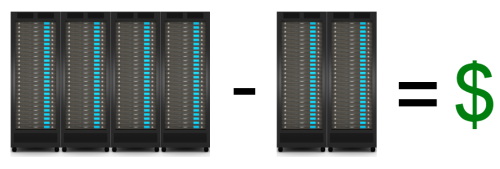 To engage in a server consolidation project, means that you have something in mind for your business through cost savings, delivery improvement or business realignment. But, regardless of the reason, server consolidation has the side effect of lowering costs and that, in itself, is reason enough to expend the energy for such an undertaking. What about incorporating a virtualization project into the overall picture? Server consolidation is, by design and by definition, a money-saving undertaking, so why consider adding cost back into your data center with virtualization. The answer, of course, is cost savings.
The old business adage, “You have to spend money to make money,” holds true for virtualization. Virtualization will cost you money. You have to pay for host hardware, software licenses, training, network setup and possibly reworking power to the racks (if you switch to blade servers). It’s hard to see how such a large financial commitment makes financial sense but it does in terms of total cost of ownership (TCO). Consolidation and virtualization are the means to the end, which is that of cost-savings.
Exploring Server Consolidation
Server consolidation is a labor and time intensive project for you and your staff. It takes time to assess which systems have the capacity to share workloads and which ones are idle. You’ll find that the process leaves you with spare systems or ones that can be redeployed. You should plan to decommission systems that are at or near their end of life (EOL) date. Additionally, you should consider decommissioning or repurposing systems that you find to be underutilized.
Once the numbers are in on your consolidation efforts, you can then turn your attention toward moving to a virtualized infrastructure from a purely physical one. You should also consider moving toward some cloud-based services to better leverage your computing and labor resources. Virtualization coupled with cloud computing services and storage creates an “always on” environment for you and your customers. Cloud computing might also have the unexpected effect of lowering your computing overhead costs by allowing you to outsource services and labor to external providers.
Assessing Performance
Before you can do any real consolidation work, you have to gather some empirical data on your systems’ performance. Don’t take this phase of the project lightly or rush it. You need to know utilization data for each system in your inventory that’s included in the project. Focus on systems whose average utilization is below 40 percent for a first pass. Idle systems, or those that are mostly idle, are prime candidates for consolidation. Secondarily, turn your attention toward systems whose hardware is overworked. Moving workloads works both ways in a consolidation effort.
Decommissioning Hardware
Hardware within six months of EOL should be marked for decommissioning. Any other hardware not suitable as a virtual machine host or other standalone system workload (Domain controller, database server, etc.) should also join the decommission list. One of the primary purposes of a server consolidation and virtualization exercises is to minimize the number of physical systems in an environment to virtual machine hosts and a few physical workload systems.
Migrating to a Virtual Infrastructure
Moving your systems from a physical state to a virtual one is easy. For physical systems that must remain ‘as is,’ use a Physical to Virtual (P2V) conversion tool such as VMware’s Converter, Microsoft’s System center Virtual Machine Manager, PlateSpin Migrate, Quest’s vConverter or Citrix’s XenConvert. Whatever tool you use, you’ll probably want to use one that features live migration, which means that you can convert a live (running) system to a virtual machine without interruption.
Your other conversion option is to install a fresh virtual machine and setup its applications, users, domain membership and networking, while its physical counterpart is still in production. Duplicate the physical system in virtual form and then, just before switchover, copy all data to the new system, change the IP address, change the system name and then reboot. The length of the process depends on how much data you have to copy. It is preferable to keep both machines live and available until the virtual machine cutover has been verified as production ready. The physical system will have to be renamed and setup with a new IP address to maintain network integrity during the testing phase.
Considering Cloud-based Services
One of the biggest surprises to any virtualization effort is storage. It’s shocking to realize how much storage you require for your virtual infrastructure. For this reason, it’s wise to seriously investigate cloud-based storage services for your virtual infrastructure. It’s easier but often less cost effective to use private cloud storage. If you choose not to use cloud-based storage for your primary storage needs, then you should certainly entertain the use of it for disaster recovery (DR) and archival purposes.
Cloud-based services can also include application hosting or adding additional bandwidth on demand for your computing environment. For example, you can create additional virtual machines on a cloud provider site at a very low cost. Keep those virtual systems powered off until you need the extra bandwidth and only use them during peak periods, such as those high traffic times associated with promotional events. Cloud services are an excellent and cost-effective way to extend your reach at a very low comparative cost.
Reaping the Rewards
Once you’ve created your virtual infrastructure for the server consolidation move, your cost accounting job begins. Consider that a lot of the work performed by multiple groups shifts to your virtual infrastructure administrators, who typically are system administrators. This group handles the host system operations, the virtual network creation, virtual switch creation, VLAN setup and virtual machine maintenance.
Having a virtualized infrastructure also means that you’ll need fewer people managing the environment, since it’s now self-contained in its own virtual realm. You’ll need a SAN or NAS storage team, a network team and a system administrator team. Of course, your database administrators, developers and applications support won’t change but you should be able to operate with fewer primary support staff.
The principal reason for the reduction in primary support staff members is that you have only a few physical systems. For example, rebooting a physical system is risky because it can hang on a hardware error or require a ‘reseat’ in the case of a troubled blade system. There are no such problems when dealing with virtual machines. When a virtual machine hangs on boot, several actions that a system administrator may take require no direct physical intervention. It is also this location independent quality of virtualization that allows companies to outsource support to third-party companies at a lower cost compared to that of in-house employees.
Notes for Mid-sized Businesses
Don’t be intimidated by the thought of moving to a virtual infrastructure, whether you’re at the low end of mid-sized or close to the high end, virtualization has something to offer you. Consolidation and virtualization can take that overfilled server room and turn it into an efficient workspace for your commercial and internal applications. It means business agility for you so that you can respond to changing customer needs and to a business climate that is always in flux. Virtualization means that your business is also more mobile than ever before.
Should you decide to move to a cloud-based infrastructure and away from self-hosted applications, you can move your virtual machines to a cloud provider without losing any productivity or business continuity. You’re no longer tied to a single location or to a single data center. Your consolidation and virtualization efforts pay off in many ways: mobility, agility, scalability and frugality.
Summary
For many IT shops and companies, server consolidation and virtualization are different steps in the same process, although they don’t have to be. Each process can stand on its own. Server consolidation projects are common in data centers, when hardware inventories discover system sprawl or when clever administrators uncover idle systems. Virtualization activities often revolve around the desire to save money by decreasing the number of physical systems taking up rack space.
Both activities will save you money but server consolidation has a more immediate and dramatic effect on the bottom line. Virtualization can cost a lot of money but is a longer-term investment. The best advice is to request proposals from vendors and look at the numbers with the knowledge that virtualization reduces your TCO in spite of the up-front costs. Remember that fewer physical systems mean lower costs, fewer required staff members and less direct interaction with the computing environment. The time, effort and money you invest in server consolidation and virtualization pay off in ultimate savings for your company.
This post was written as part of the IBM for Midsize Business program, which provides midsize businesses with the tools, expertise and solutions they need to become engines of a smarter planet.
Delivering Dynamic Web Content via Three-Tier Architecture
 Web Application Servers are nothing new in the tech world but many business managers, application developers and systems administrators still don’t understand what they are or why they’re needed. The Three-Tier Architecture allows architects and developers to create a dynamic and relatively secure method of delivery dynamic content to users. Web Application Servers are the key component in this three-tiered delivery model. A Web Application Server (WAS) not only delivers dynamic content but it also contains the business logic, the business rules, the data access and a modulated connectivity path between the data and the data consumer or user.
Three-Tier Architecture (3TA) is the design that results from splitting individual services onto multiple systems and into multiple layers—both physical and logical.
Logical vs. Physical Architecture
3TA consists of three distinct tiers or layers: Presentation, Application and Data. When speaking of 3TA, most discussions refer to the logical architectural layout. Logically, the Presentation Tier consists of client computers and web services that provide the user interface. The middle or Application Tier contains the business logic, the rules for information processing and the data access components. The Data Tier contains the data and data storage.
The Presentation Tier or layer deals with user interaction and user experience. This layer transmits requests from the user and presents the responses back to the user in a readable format. The Application or middle Tier receives requests and either responds directly back to the user or queries the datastore and configures a response for the user.
The third tier is the Data Tier and its purpose is to store data and to provide that data via requests from the Application Tier. The Data Tier never comes in direct contact with the Presentation Tier.
Three-Tier Design Advantages and Disadvantages
Advantages
- Scalable Design – The addition of new servers and load balancing can grow an environment to accommodate large numbers of client connections.
- Parallel Development – Developers and DBAs can work simultaneously and independently on the different layers (tiers).
- Superior Performance – Separation of CPU-intensive, memory-intensive and I/O-intensive operations increases and extends performance of all components.
- Increased Security – Physical and logical separation of components can increase security.
- Improved Availability – Redundant server members decrease the severity of outages.
Disadvantages
- Design Complexity – Multi-tier architecture is more difficult to implement than single tier.
- Increased Maintenance – Designated systems (Web, Application and Database) often have their own maintenance schedules and windows that might prove cumbersome to production.
Physically, the servers have separation from one another as well. Client systems are part of the Presentation Tier and remotely located (physically separated) from the other tiers. To further separate the Presentation Tier from the Application Tier, architects place web servers in a DMZ so they’re network connectivity faces the Internet on one side and the corporate LAN on the other. On the LAN side, a firewall limits the TCP/IP connectivity to a few destinations: The Application Servers. This limited connectivity reduces the attack surface for would-be intruders.
Connectivity constraints between physical tiers continue from the Application Tier to the Data Tier. Architects further isolate database systems and data storage by only allowing database access from the application servers in the Application Tier. And, only the database systems directly access data storage.
This isolation of tiers is not only a security measure but also one of performance and one of availability. By imposing limits on the number of connection origins, from the web servers to the application servers and from application servers to the database servers, the potential for capacity overload is very low. Additionally, by spreading the load over multiple web servers, multiple application servers and even multiple database instances via load balancing mitigates performance problems due to high traffic bursts.
For availability, multiple systems provide a resource pool that creates a cushion against service outage in case of a single system’s failure. Administrators will remove the failed system from load balancing until it’s replaced or repaired.
Application Server Role
The role of the application server or the WAS is to receive requests for dynamic data from web servers, to filter and to shuttle those requests to the database, to gather and to organize the requested data and to deliver it back to the user. The application server also performs security checks including verification, validation and authentication. Developers usually implement some sort of data “scrubbing” routines into the application server’s processing to eliminate the presentation of duplicate records, incomplete records or NULL results.
Application Server Software
There are two major contenders in the application server software market: Java (Oracle) and .NET (Microsoft). The Java application server is a cross-platform language and runtime environment, which means that it is platform independent and that it maintains compatibility with Windows, Linux, UNIX, Mac and other server platforms. Microsoft’s .NET only operates on the Windows operating system although there is a project currently underway whose purpose it is to port .NET applications to Linux.
The Advantages of Well-Designed Architecture
Although anyone can find numerous examples of Three-Tier designs and Web Application How-Tos on Internet sites, there’s no substitute for a professionally crafted data-backed web application. To maintain a web application infrastructure, requires a trained team of IT professionals including: System administrators, DBAs and application developers. But, no matter how good your support staff is, a poorly architected web application solution will never provide you with the service you expect from it. In a Three-Tier web application, make sure that you have an adequate number of web servers available to accommodate the amount of traffic you expect because your web servers will be very busy.
Some architects use a combination of physical web servers and virtual web servers that administrators spin up to adjust for high traffic times (during special promotions, for example).
Apply weighted load balancing to your web servers and to your application servers. Also enable session affinity (sticky sessions) in your load balancing setup. Using session affinity at this level greatly simplifies some of the session management in the application.
The Pre-Production To Do List
During the pre-production phase of your web application launch, a few things need to happen. The first is load testing. You need an experienced load tester to place stress on your system to make sure that it can handle many simultaneous users. On the user interface side, you should enlist a software tester to ensure that your interface is intuitive and not easily broken by erroneous input. Additionally, you need a representative group of users to provide feedback on the user interface. Finally, you should have a security audit performed on the environment to include penetration testing and vulnerability testing.
Summary
When the need arises for your application to go public or to reach a large audience, you need to move to a scalable and manageable architecture. Three-tier architecture is one very good answer to that problem. 3TA is true data center architecture that includes a security component, a performance component and an availability component. Put them together and you’ve built a near-unbreakable service for your intended user base. The best web application service begins with exceptional design and ends with happy customers.
This post was written as part of the IBM for Midsize Business program, which provides midsize businesses with the tools, expertise and solutions they need to become engines of a smarter planet.
The Linux Command Line (Book Review)
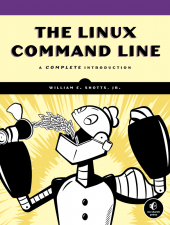 The Linux Command Line
A Complete Introduction
by William E. Shotts, Jr.
© No Starch Press 2012
$39.95 Retail, $26.37 Amazon.
The Linux Command Line (TLCL) is the book I wish I’d had on my bookshelf back in 1995, when I first started using Linux. Shotts left nothing out in this 430 page manuscript. Not only does he cover the basics but he gives information for all user levels. If you don’t learn something by reading this book, then you should have written your own.
The thirty-six chapters include everything from “What is the Shell” to “A Gentle Introduction to vi” to many chapters on shell scripting.
Shotts does an excellent job of giving readers a solid scripting background to very advanced techniques in Part 4 of TLCL. Part 4 is my favorite part of his book and I’m glad he dedicated twelve chapters plus a bonus chapter to this essential System Administrator (SA) function. The bottom line is that you can’t get a Linux SA job without knowing how to write shell scripts. Keep this book handy when you write your own scripts as no one but Shotts perhaps can keep this much scripting information in his head.
The Linux Command Line really does for Linux what Essential System Administration (O’Reilly – A. Frisch) did for UNIX administrators a decade or so ago. Shotts gives you everything you need to manage Linux systems in this book plus a few extras.
Overall, the book is a win and I happily give it a 10/10. The only thing wrong that I could find is that Shotts chose to include a chapter on Regular Expressions in Part 3: Common Tasks and Essential Tools. What’s wrong with that, you ask? I hate regular expressions.
However, Shotts provides me with a little (hopefully intended) tongue-in-cheek inspiration for learning and relearning them with, “A good understanding will enable us to perform amazing feats, though their full value may not be immediately apparent.”
Shotts even included my special vi secret trick of using Shift-zz to save and exit. Bravo!
I recommend this book to anyone who is or who aspires to be a Linux SA. I’ll personally keep it within easy reach of my keyboard.
Review: 10/10
Recommendation: Highest

 Techopedia
- An error has occurred; the feed is probably down. Try again later.
Datamation
- Minimus Appoints Tech Dealmaker Yael Nardi as Chief Business Officer to Drive Hyper-Growth
- USA₮ Modernizes American Payments with High-Impact St. Patrick’s Day Activation in Times Square
- Google and NextEra Strike AI-Powered Grid Deal
- NYT Sues Perplexity AI in Copyright Conflict
- Cloudflare Outage Affects Major Websites
- OpenAI Forces AI to Confess Its Lies
- OpenAI Declares Code Red as Google’s Gemini 3 Threatens ChatGPT
- Coupang Breach Exposes 33.7M South Koreans’ Data
- ChatGPT Celebrates Third Anniversary
- Asahi Group Reveals Findings of Cyberattack

 The Frugal Networker
You must be logged in to post a comment.