Archive
The Diamond Multimedia PlugnView Home Monitoring Kit (Review)
 PlugnView Home Monitoring Kit
Live video security camera hardware
Diamond Multimedia
$119.99 Retail/$94.66 Amazon (Prime)
Product Spotlight Video
Like all Diamond Multimedia products, the PlugnView Home Monitoring Kit (PlugnView) is a high quality, low cost product. Diamond succeeds in putting a lot of ‘bang for the buck’ into every one of its devices. And you know that you have a Diamond Multimedia product because it has all the familiar design features: small footprint, abundant ventilation slots, highly visible labels, status lights, attention to details such as furniture-protecting rubber feet, and high impact plastic construction.
Diamond Multimedia (DMM) puts a lot of thought into its products. The PlugnView is standard high quality fare for a DMM product, which is worth noting here.
 Included in the kit is everything you need except the apps, which are available through Apple’s App Store or through Google Play. You get the PlugnView camera, a HP500AV Home Plug Adapter, a Quick Start guide, and a three-foot Ethernet cable.
DMM also has a reputation for making products that are very easy to setup and use. The PlugnView follows that time-honored tradition too.
To setup the PlugnView, attach the Ethernet cable to the HP500AV, plug in the Ethernet cable’s free end directly into an open slot in your router or into an open slot in your network switch, and plug in the HP500AV to electric power. The HP500AV has to access your network via the Ethernet cable and then it attaches to your PlugnView camera via wireless. All three lights should be green, when properly connected.
Plug in the PlugnView camera to electric power and aim it at whatever you want to view. The camera swivels left and right on its base plus you can adjust the vertical (up and down) pitch as well. These adjustments are manual. You can’t move (pan) the camera electronically to scan an area.
Next, download the PlugnView app from the Apple App Store or, if you have an Android device, from the Google Play Store.
Open the app, tap the Plus (+) button to add a camera. On the next screen, select the way you want to add your camera to the app: via QR code on the bottom of the camera, local network search, or manually. I suggest that you attempt to add your camera first by searching. If that doesn’t work, then scan the QR code on the bottom of the PlugnView. Finally, if those two fail, add it manually. But one should work and adding manually is a pain because of the length of the ID and the password. You can change the password later in the app.
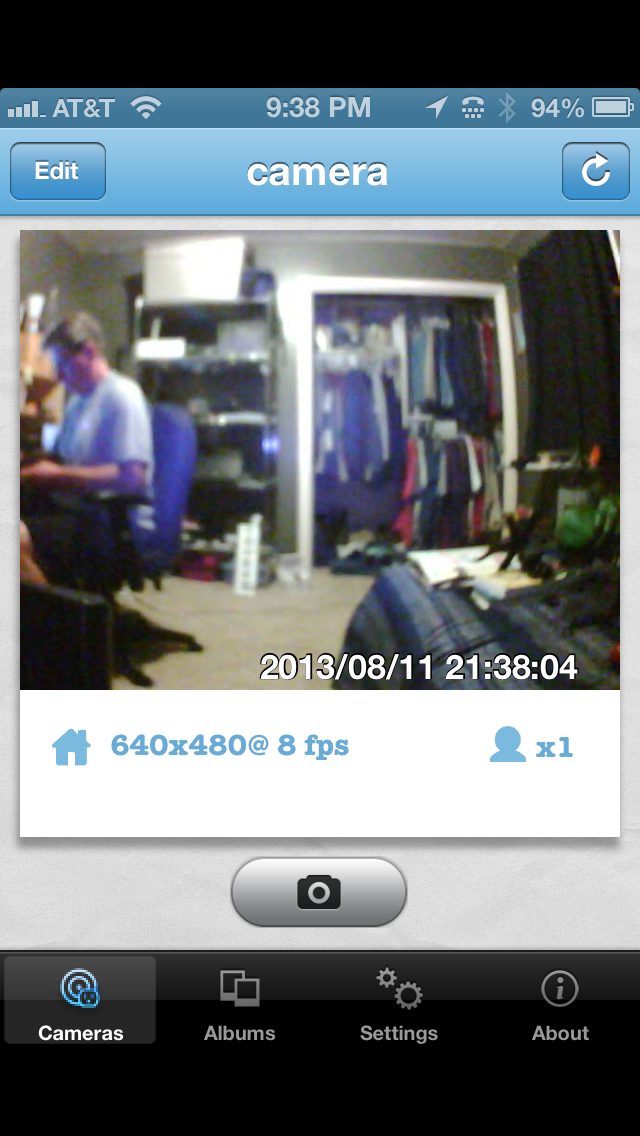
Figure 1: A live video view using the iPhone PlugnView app.
A local network search should find your camera within a few seconds. Once it does, you’ll see the cryptic identification code for your camera. Tap the found camera to edit its properties. Name your camera. I named mine “camera”. Leave the Camera ID as is. Enter the camera password from the bottom of the camera. Be careful to type it in exactly as you see it. Tap Save when done. Tap the Done button when your camera light in the app turns green.
Tap the camera that you just setup. You’ll see a “connecting to camera” message and then in a few seconds, you’ll see what the camera sees. You can also take pictures by tapping the camera icon on the screen. See Figure 1.
If you tap the Edit button (upper left corner), you can change the configuration of your camera, such as enhanced night vision, frame rate, resolution, and a few other details.
I suggest changing the frequency from 60Hz to 50Hz for better viewing inside your home. 60Hz probably works better outside. I also like the highest resolution and best quality picture available. You’ll have to experiment a bit for your surroundings and lighting conditions. Once you change something, tap the Apply button for it to take effect and then evaluate the results.
The PlugnView has pretty good resolution for the cost. Remember that this camera is not high definition video capable. It is what it is, which is an inexpensive, easy to setup, easy to use security camera. If you need something with higher resolution, sound, faster frame capture, and a panning camera, then you’ll have to spend a lot more money. For around $100, I doubt you’ll find anything better.
The PlugnView Home Monitoring Kit will keep you aware of what’s going on inside or outside your home. The PC software that you can download from DMM’s site is quite good. You can monitor multiple cameras at once with it but the app is a quick view used for occasional monitoring from your mobile device.
My overall impression and evaluation of the PlugnView Home Monitoring Kit is favorable. I like the ease of setup, the product quality, and the mobile app combination.
Why it’s frugal: The PlugnView is inexpensive but it’s more than price. If you need a decent quality home security camera, it fits that bill. You have night vision that is quite good, live video, snapshots, and good resolution. It is a good value and a good product.
Review: 8/10
Recommendation: Buy it with an understanding of its limitations and its features.
Diamond Multimedia Wireless Range Extender and Router WR300NR (Review)
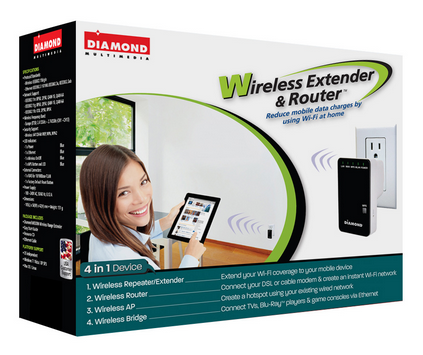 Wireless Extender and Router WR300NR
Wireless Router – Bridge – Repeater – Access Point
Diamond Multimedia
$49.99 Retail/$39.99 Amazon (Prime)
Product Spotlight Video
Diamond Multimedia offers a variety of wireless devices to extend your wireless networks, provide additional security to your wireless users, and to provide some advanced home networking features at a very low cost. The WR300NR (NR) is a sophisticated but inexpensive 4-in-1 wireless networking device. It can act as a router (default), a bridge, a wireless access point (hotspot), and a range extender. You can check out my review of a similar 3-in-1 product (range extender, bridge, wireless access point) from Diamond Multimedia–the WR300NSI Wireless Range Extender for comparison.
This review is not a comparison of the two products but rather a focus on the WR300NR’s router capability, which generally sets it apart from the WR300NSI.
The NR provides you with an extra layer of security as a router that you really need when using public Internet connections such as those in hotel rooms. You can read elsewhere about how non-secure public WiFi hotspots are. The NR protects you by adding a barrier or Firewall between you and the outside world.
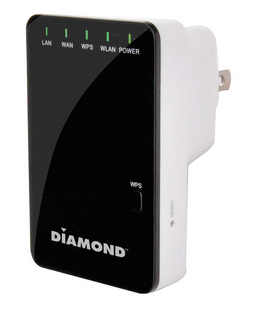 Setup is easy with the NR.
To start, plug in the device into any standard electric socket. Use the included RJ-45 network cable to plug into the LAN side of the device and the other end into the network card (NIC) in your laptop or desktop computer.
Restart the computer that’s connected to the NR or disable/enable the NIC to refresh its connection so that the NR supplies your computer with an IP address.
Open your favorite Internet browser application (Internet Explorer, Chrome, Firefox, etc.) and point it to http://192.168.10.253.
When prompted, enter admin for the username and admin for the password.
The initial screen opens for you. Note the navigation area on the left side of the screen. See Figure 1 for reference.

Figure 1: WR300NR Main Setup Screen
Use the included instruction booklet and the Wizard selection from the web page’s navigation menu to setup your NR. Router is the default setting. Click NEXT to continue.
If you’re setting up the NR to be your Internet gateway, then you’ll need to refer to your Internet provider’s documentation to tell you what kind of connection you have so that you can set your NR’s router mode: Fixed or Static IP Address, Dynamically assigned IP Address (DHCP), or an ADSL dialup (PPoE).
You can also setup your SSID, channel (Auto is fine), and security mode (Disabled, WPA, WPA2, or WPA/WPA2 mixed). I suggest WPA2.
NOTE: Do NOT leave your router in Disabled mode (default). Always use security on your home network so that passersby, neighbors, and criminals can’t piggyback onto your connection and potentially get you into trouble by downloading or uploading illegal files or participating in other illegal behavior at your expense.
That’s all there is to it. Basically one step with a few subparts. Click SAVE & REBOOT to save your settings and reboot the device.
For advanced users, there are many tweaks and settings to alter. You can configure the Firewall to meet your needs, change the Wireless settings, and edit just about every possible parameter.
Don’t worry about messing up or configuring yourself out of the device completely, since you can always reset the device to factory defaults by pressing the RESET button with an ink pen located on one side of the NR. Remember that if you do this, all of your changes will be gone. You will also have to reconnect to the device as described above by pointing your browser to http://192.168.10.253 and using username admin and password admin to return to the configuration screen.
Also, you’ll want to change the username and password for your router from the default. You don’t want to leave it as admin/admin. To change the username and password, click Management in the navigation pane. Why do this? Because if someone attempts to hack into your network, the first username and password combination he’ll try is admin/admin.
Remember to change the username and password if you travel and have to reset the NR. For $40, you could always buy two: One for home and one for travel.
The NR is a very capable router and firewall. For the money, it might be the best I’ve seen. There are many devices in this group from which to choose but none as small (2.9 x 1.9 x 1.6 inches), as feature-filled, or as competitively priced as the WR300NR.
Why it’s frugal: You could spend more for a larger device with the same or similar features and pay a lot (2-3X) more but why would you when the NR has everything you need? For $40 and free shipping from Amazon (For Prime members), it doesn’t make sense to buy anything else.
Rating: 9/10
Recommendation: Buy it. Use it at home and take it with you on the road.
IBM Flex-es its computing muscle again by going ‘Beyond Blades’
 This week IBM announced exciting news about new offerings within the Flex System. These offerings will help the system fully evolve into a high-performance, reliable, secure and cloud-based system that can be tailored to meet every SMB’s unique IT needs. Users will enjoy integrated computing, storage, networking resources that are both easy to use and adaptable to dynamic external conditions.
IBM’s new Flex systems go beyond blades to bring you truly integrated compute, storage, networking, and management into a modular and flexible system. It’s also the industry’s first 40GB bandwidths and integrated SAN.
What this means for SMBs is flexible, scalable, and customizable systems that can grow with business needs. The new modular Flex System is perfect for SMBs who are budget conscious in that this new Flex System provides more compute power per dollar than any comparable hardware on the market.
And IBM is going beyond blades in another way by designing its systems as ‘compute nodes’ and giving you the capability to support the equivalent of 28 compute nodes per IBM Flex System Enterprise Chassis.
“With a broad range of x86 and IBM POWER compute nodes, the Flex System V7000 storage node, enhanced networking capabilities and sophisticated system management capabilities, you can upgrade your existing blade server infrastructure and make your IT simpler, more flexible, more open, and more efficient.”
To learn more about IBM’s Flex System technology, watch the IBM Flex System video or connect to IBM’s Flex System page describing the technology and the new game changing improvements in detail.

This post was written as part of the IBM for Midsize Business program, which provides midsize businesses with the tools, expertise and solutions they need to become engines of a smarter planet.
I’ve been compensated to contribute to this program, but the opinions expressed in this post are my own and don’t necessarily represent IBM’s positions, strategies or opinions.
Overcoming the barriers of going global through cloud and mobile technologies
 In a previous post, “Transforming your company with cloud, mobile and MSPs“, I stated that these technologies level the playing field for companies wishing to break into a global marketplace. And it’s true, it does but barriers still exist, although the barriers are far lower than they were prior to the new “cloud revolution”. One of those barriers is expertise. Technology expertise, or the lack of that expertise actually, prevents many entrepreneurs and existing companies from taking that big global leap. There’s an excellent article by John Mason, General Manager, Midmarket Business, IBM, on this very topic titled, “When Small Businesses use Cloud and Mobile to Go Global.”
In the article, John describes the relationship between cloud and mobile technologies and how companies can harness these to launch their businesses on a global scale.
The problem that entrepreneurs face in their global business quest is that there is a clear disconnect between the technology and implementation of that technology towards a new market strategy. In other, more simple terms, there are no clear cut road maps to making that transition.
But it’s not all gloom and doom for the would-be global entrepreneur. Help is available.
In fact, John’s group at IBM can help with that. He speaks from a position of knowledge, authority, and history on the topic of global business and global opportunity. IBM, after all, since its official founding in 1911, was one of the first, if not the first, international (global) technology company. Additionally, it was also IBM that pioneered the technologies that we now refer to as “cloud computing”.
The underlying technologies might not interest you as a business owner or global business entrepreneur but what you need to know is that to overcome the remaining barriers to global business, you need a company, and its partners, behind you that blazed the global business trail.
But how can cloud computing and mobile technologies help launch your business into the global business arena?
John gives multiple examples in his article of how it works. For example, he states, “More and more small farmers are today harnessing the power of mobile to help them connect to agricultural services, information and markets. With a few taps, farmers in remote areas can obtain information about the optimum time to plant their seeds, the right way to keep pests at bay, or the best market in which to sell their crops.”
The keywords in his example are, “the best market in which to sell their crops.” What is the best market? Domestic? Foreign? If it’s foreign, the farmer has to connect to those markets. He has to schedule delivery, negotiate pricing, and then deliver the crops. How does a small farmer make that transition?
The answer is technology.
To overcome the barriers, you have to engage expertise that you don’t have. You have to find someone who’s been there and done that. And you have to find someone who’s done it many times before–successfully.
Moving to a global marketplace has never been easier but there are still barriers. You need a partner who knows the way.
This post was written as part of the IBM for Midsize Business program, which provides midsize businesses with the tools, expertise and solutions they need to become engines of a smarter planet.
I’ve been compensated to contribute to this program, but the opinions expressed in this post are my own and don’t necessarily represent IBM’s positions, strategies or opinions.
Transforming your company with cloud, mobile and MSPs
 I just watched a video where IBM and two IBM partners discuss Managed Service Providers (MSPs), cloud, mobile, and transforming your business with technology. The video is part of a new IBM series targeting SMBs and demonstrating how cloud, mobile, and their MSP partners can transform or launch your business for very little money. They call the series Coffee and Conversation. It’s a casual and relaxed conversation over coffee about technological transformation. The two companies represented in this first video are CloudView and WakaDigital.
The message of the video is clear: MSPs can help transform or launch your business for little money and give you the global exposure and agility required to succeed in today’s market.
It sounds simple and it is simple.
Personally, if I were to launch a new business today, I would not lease office space. I wouldn’t buy or even lease a bunch of hardware for my own server room. I certainly wouldn’t go into massive and crushing debt to acquire the hardware, software, support staff, maintenance contracts, and the myriad of costly services and personnel required to run the business.
I would work out of my home, comfortably in my home office, and use an MSP and cloud technologies to empower me to:
- Appear as a larger company.
- Quickly spin up a usable computing infrastructure.
- Enable my customers to interact with me via mobile and cloud technologies.
- Allow customers to purchase my products and services securely online.
- Be everywhere at once.
Now I know that sounds far-fetched but it isn’t. Finding the right business partners is essential to your success. Your MSP is your business partner. It provides everything you need to run your business from a technology perspective.
All you have to worry about is how to manage your supply chain, contingent workers, and accounting. But guess what? IBM has a solution for all of those problems too. Their partners cover the gamut of every needed service and possible line of support that you need.
As Leila Ashley (CloudView) says in the video, this new agile business model “levels the playing field” for SMBs who need to compete with hungry start-ups, as well as, established, well-funded enterprises. Ms. Ashley goes on to zero in on an important aspect of this new business model by stating that they can launch an e-commerce site in a day’s time instead of a week. What she’s telling you is that you can effectively have an idea at 8AM and realize that dream by 5PM the same day.
You don’t have to wait for proof of concepts, ordering new hardware, procuring software, installing, patching, and updating any operating systems or applications. You have an agile, automated solution waiting for you with very few obstacles and very low entry barriers.
Business is different today than it was even ten years ago. Cloud technologies and agile systems allow us to respond to changing business needs, to test new products and new markets without a heavy capital investment, and without long delays. We can now respond within the windows of opportunity that present themselves to us. That is true agility.
And what about businesses that can’t make the transition?
Denise Garth (IBM) makes an excellent point in the video by observing that businesses either will transform or possibly become irrelevant.
Forty years ago, you weren’t relevant if you didn’t have a Yellow Pages ad. Ten years ago, you weren’t relevant if you didn’t have a website. Today and tomorrow, you might become irrelevant if you can’t meet the challenges of a transformed business. Sure, some might say that business is business and people don’t change but, on the other hand, technology has transformed the customer into a technologically-connected buyer. That’s relevant to any business.
Businesses must transform to meet the needs of the new customer paradigm. Online, agile, cloud-oriented, connected, mobile, and social media-savvy is the new business paradigm.
IBM’s MSP partners can help you transform your business. Level the playing field by contacting IBM and its partners and go have a cup of coffee.
While you’re sipping on that hot cup of bean juice, take a look at how other companies just like yours are being transformed.
This post was written as part of the IBM for Midsize Business program, which provides midsize businesses with the tools, expertise and solutions they need to become engines of a smarter planet.
I’ve been compensated to contribute to this program, but the opinions expressed in this post are my own and don’t necessarily represent IBM’s positions, strategies or opinions.
Diamond Multimedia Wireless Range Extender WR300NSI (Review)
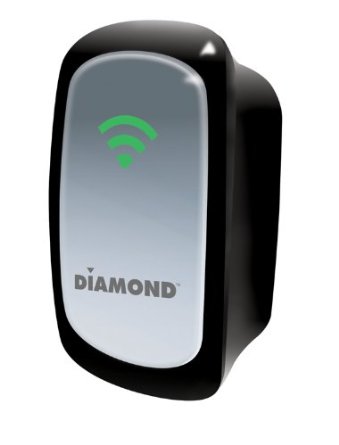 Wireless Range Extender WR300NSI
Bridge – Repeater – Access Point
Diamond Multimedia
$49.99 Retail
Product Spotlight Video
Quick, what fits in the palm of your hand, can double the range of your wireless network, and only takes five minutes to setup? Yeah, that’s a tough one but the answer is the Diamond Multimedia Wireless Range Extender model WR300NSI. A mouthful to be sure but you’ll be glad you said it after you’re able to extend the range of your wireless network to near double its current output.
Now, Diamond Multimedia doesn’t boast a particular amount of range extension but I found that my wireless network coverage umbrella was just about doubled to a whopping 150 feet around my house. I tested the WR300NSI by plugging it into various outlets around and outside of my house to find out its true range and found that at 150 feet I was beginning to lose the signal and switch to LTE. Immediately upon turning around back into the coverage area, my WiFi picked up and started working. Impressive.
 If I had several of these devices setup around my house or inconspicuously around the neighborhood, I could effectively provide Internet access through my main broadband connection for a large section of my subdivision. Now I probably wouldn’t do that but I might usurp a couple of my neighbor’s outside electrical outlets to extend my capable range so that I can enjoy my very own WiFi on my occasional walks to and from the neighborhood pool.
The unit setup quite fast. Basically you plug it in, connect it via the supplied Cat5 network cable to a laptop (or desktop), hit the built-in web server at http://10.0.10.254, type in your wireless password (I hope you have a protected WiFi network) and you’re done once the unit reboots.
My suggestions for maximum coverage:
If you’re wanting to cover your whole house and a bit of outdoors, plug in the unit near the center of your house as high up on the wall as possible. Use an extension cord and place the unit somewhere inconspicuous but not blocked. If you’re providing access to a large yard, plug in the unit outside and perch it up high again for maximum coverage.
The signal, like any such signal, doesn’t travel well through neighboring houses. It’s not line-of-sight but the fewer restrictions, the better signal you’ll have.
Speaking of signal strength, place the unit where you see three wireless signal bars. That will give you maximum boost for your wireless signal and the best coverage overall. Fewer than three bars means that you’re repeated signal will be less than optimum. But hey, those who leech onto your signal can’t be too choosy right? You could tell them to use their cellular data connection instead, if they complain too much.
For $50, the WR300NSI is an excellent range extender. It does exactly what it says it does. Diamond doesn’t oversell this product by telling you that it will double your range but my field test says that it will.
Interestingly, this little pearl also acts as a wireless access point or a bridge. You change those settings in the Setup area of the internal web page. All it requires is a single click on your choice and a reboot. I wish I’d had this device two years ago when I struggled for several days setting up a bridge for my garage data center. It would have made my life much easier. Sure I learned a lot but I also probably heated up my room in hell doing it from all of the cussing and complaining that I did during the process. Feel sorry for my wife, since she had to hear the <expletives deleted> from my office and the garage over the course of my frustration. I digress.
 The WR300NSI is easy to setup and to use. You’ll love it. I do. I plan to extend my backyard coverage with it connected outside so my kids will stop using so much cellular data. Thanks, Diamond Multimedia, you’re saving me more than the cost of the unit in a single month of that.
I highly recommend the WR300NSI and I give it a solid 10 out of 10. I find no reason to complain about this product, which, if you read my blog–that’s a real deviation for me.
Why it’s frugal: The WR300NSI is frugal because it extends your wireless network inexpensively. Sure there are other products out there that do the same thing but not as inexpensive or as easy. Even grandma can setup the WR300NSI and that’s worth a portion of Fort Knox, if you know what I mean. Anything that prevents those free family support phone calls is a very good thing.
Recommendation: If you need to extend your WiFi network, buy it. It makes a great gift too. Imagine getting one.
Review: 10/10
Mujjo iPhone 5 Leather Sleeve: Originals Collection (Review)
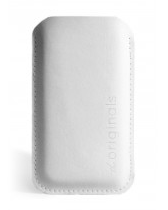 iPhone 5 Leather Sleeve
Originals Collection
Mujjo
Retail 34.95 Euro/~$45.00 USD
If you prefer to keep your iPhone naked, then the new Mujjo iPhone 5 sleeve is just what you need to protect your investment when it’s not in use. This all leather, vegetable-dyed sleeve will provide you with all the protection you’ll need from scratches, drops, dirt, dust, and smudges from carrying around in a pocket, a briefcase or a purse.
The Mujjo sleeve is a quality product. It is not a cheap knock-off. It’s real stitched leather, subtly stamped with “The Originals” on one side to show that the product is part of Mujjo’s Originals Collection.
The sleeves, also available for the iPhone 4/4S, come in beautiful ivory white or natural brown. This review covers the white sleeve.
Don’t confuse this sleeve with a protective case. This sleeve is protective but you have to remove the phone from the case before you use it. You also can’t use the case with other protective cases, although you could use a screen protector with this product with no trouble. This case is for those of us who prefer to use our phones naked.
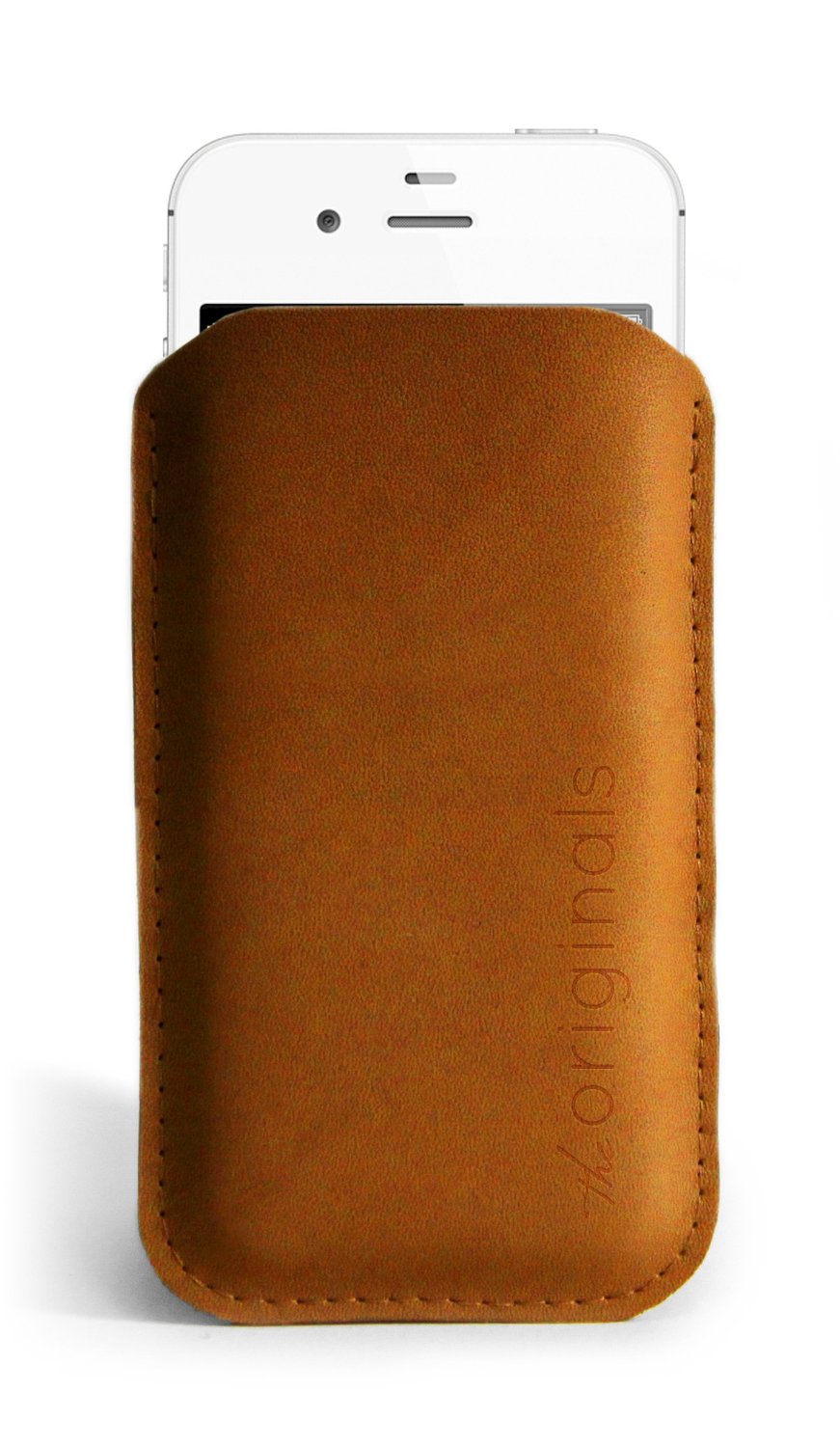 The price of the sleeve is not cheap at around $45.00 USD, it’s a fashion statement as well as a protective element. Why not have something a little posh as well as useful? After all, isn’t that what fashion is all about?
The sleeve holds your phone tight so that there’s little chance of it slipping out on its own. You’ll feel confident in its protective capability while you’re running for a taxi or bumping into strangers on the bus or subway.
On a funny side note, neither my wife nor my daughter “get” the purpose of the sleeve. Both of them looked at the product and simply asked, “Why?”
The “Why” is simple to answer: It’s a statement–a statement about who you are and about quality products. No one needs expensive rims on a car, $300 Prada sunglasses, a $75,000 Mercedes, or a $45.00 iPhone sleeve. It isn’t about need. To be perfectly honest, I don’t need an iPhone 5. I want an iPhone 5, therefore I have an iPhone 5. If you’re a person who loves quality accessories, then you will want the Mujjo iPhone sleeve as well. Seriously, I have to ask, who wouldn’t?
The Mujjo Originals Collection accessories also make great gifts. Everyone loves a quality gift and if you have someone in your life who has everything else, get her or him one of these beautiful and useful sleeves.
It’s frugal because it is a quality product that will last a very long time. Plus, it protects your valuable phone from damage during transport between uses. There’s nothing more frugal than protecting your investment in something you already have.
You’ll love the Mujjo iPhone sleeve at any price. It’s sleek, it’s fashion forward, it’s leather, and it’s an original. What more do you need or want?
Review: 9/10
Recommendation: It’s the nicest iPhone sleeve that I’ve seen and if you like using your phone without being wrapped up in a rubber case, then this is the ultimate accessory for you.
The iProp Universal Tablet Stand: The Return of the Bean Bag (Review)
 iProp Universal Tablet Stand
iProp
Dockem
$29.99 Retail, $29.99 Amazon (Prime qualified).
When I first heard of the iProp Universal Tablet Stand (iProp), I didn’t know what to think. I have seen other stands and, in fact, I have one that is a bit awkward to use and only works on rigid surfaces. But the iProp is cool in that it can sit comfortably on just about any surface including laps, tables, beds, chairs, floors, and carpet, because it conforms to the surface with its “bean bag” construction. And who doesn’t love bean bag stuff?
The iProp does its job well. In my house, we have iPhones, iPads, and iPad minis and they all work very well with the iProp. My daughter Maria loves the iProp and uses it for reading and working with her iPad mini for everything except video games. Apparently you need to hold the iPad for that.
The iProp has several clever features but our favorite is that you can stash your earbuds and power cable into the zipper pocket for safe keeping and handy access because you don’t want to disturb others while you watch YouTube videos. And you certainly don’t want to run low on power during the all-important Minecraft world creation.
I like to use the iProp to hold my iPad while using my Apple Bluetooth Keyboard. It works much better than the aforementioned rigid stand. I can use the iProp up close and it’s the perfect height to avoid neck strain during my long hours of article writing. The iProp makes writing on the iPad pleasant.
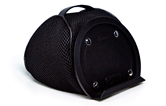 The iProp currently is available in two colors: Silver (Light Gray) and Black. It is lightweight at just 7.4 ounces and its small footprint (5.9″ x 7.1″ x 5.9″) makes it easy to carry or pack.
Although I’m not sure why, but the plastic tablet rest/holder detaches from the rest of the unit with snaps. Perhaps it does so for convenience if you should need to wash the iProp or for more compact packing. But, in any case, it’s there as an added feature if you should need to separate the two pieces.
The iProp adjusts to minimize glare from your tablet and to accommodate your optimum viewing angle. Just mash it around like you would any bean bag type product until you’re satisfied. You’ll find the iProp stable and comfortable to use no matter how picky you are.
From a quality perspective, the iProp is very well made. I’m impressed with the construction and apparent durability. The product feels good in your hands and is something that you’d be proud to use in public settings such as lunch, bookstores, presentations, seminars, group meetings, or at home. This product will outlast many generations of iPads.
I can honestly recommend the iProp as a phone or tablet accessory. I use it in the kitchen to hold my iPad when I’m on allrecipes.com concocting a new creation for my family.
I love the iProp and so does my daughter who will probably take it to her room and never allow me to touch it again.
 The iProp is frugal because you will only need this one product to hold your tablet or phone, regardless of manufacturer. The iProp is compatible with Apple products, Androids, the Microsoft Surface tablet, and all mobile phones.
Maria’s Review: 10/10
My Review: 9/10
Recommendation: If you need a tablet or phone stand, get the iProp.
Rocksteady XS 1.5 with Speakerphone: First Impressions
 Rocksteady XS 1.5 bluetooth portable speaker with Speakerphone.
Killer Concepts, LLC.
$89.99
Question: What has the exact dimensions of the Rocksteady XS portable bluetooth stereo speaker but with even more cool features?
Answer: The Rocksteady XS 1.5 with Speakerphone.
And if I told you that the new Rocksteady XS with Speakerphone has jawdropping sound, you’d have to believe me. After I paired the new XS with my iPhone 5, I turned on my music to test it for the first time. It was one of those “unboxing” experiences that I didn’t record with video. Thankfully so. The queued song just happened to be a classic recording of Iron Butterfly‘s “In-A-Gadda-Da-Vida” and the first few notes of the intro made me jump and I almost dropped my iPhone. Jawdropping (or phonedropping) is a good description of that experience. My heart was still pounding a few minutes later when the song switched to Flyleaf’s hard-hitting “All Around Me.”
My kids, who are all on summertime vampire slumber hours, all three hit my office door at the same time to find out what the heck was going on. When I showed them the new XS and the fact that I could receive phone calls on it, they all responded, “Cool.” They also looked as if I had just run over their iPhones in the process. (They obviously wanted me to tell them it was for one or more of them) I waved them away while I continued my play–, ahem, research with the new XS.
Ordinarily my kids and my wife all make fun of me and my tech gadgetry. When I showed my wife the Speakerphone feature of the new XS, she picked up the XS and started walking away with it. “Hey, I’m not done with that. I’m writing a review.”
She returned it to me albeit reluctantly. I also told her that the new XS isn’t exclusive to my phone or a single device anymore. You can bluetooth connect two devices simultaneously and, like my Nissan Cube, the new XS remembers the last four devices paired to it for easy connection later.
The new Rocksteady XS with Speakerphone’s other notable features:
Battery Life: >10 hours
Distortion Free > 85dB
Charge USB devices with the USB port
3.5mm Line in music playback
USB stick music playback
Bluetooth streaming music playback
Control music and phone from phone or XS
Bluetooth 3.0 and no pairing PIN
Tough all-aluminum case
Replaceable rechargeable Lithium ion batteries
Longer, higher quality cables (1m USB and 1.2m 3.5mm cable)
And one notable feature that they forgot to tell me about in the literature: Killer sound. Of course I understand that marketing people don’t use phrases like “freakin’ killer” or “blow you away” but wow, just wow. You have to hear it to believe it.
OK, what they did say about the sound quality is this: Proprietary air channels inside to augment the sound range and volume using patent pending air channeling and membrane technology.
Uh, yeah, that’s what I meant by “blow you away” quality. I just didn’t get all geeky with it.
The sound grabs you by the throat and pounds your head. That’s a better way of saying it. And it’s not just the volume, which is important but the clarity and quality of the sound is unreal. I’m glad I don’t understand the magic behind it because I like it. I’m no sound expert but the tone is excellent and I never got any distortion even at the highest setting.
The sheer volume and clarity on this little device is one that could quite possibly drive your neighbors crazy–and if you knew my neighbors, you’d know that’s a pretty short drive.
For the highest setting, I turned my phone’s volume all the way up and then tapped the XS volume + button several times to get the most from it.
Remember the days when party DJs used to bring all that crap with them? Well, frankly, unless you have a huge auditorium, you could start your own DJ business with a phone and two or three of these new XSs. The XS would be really cool for street musicians too who don’t want to lug around a bunch of sound equipment. If I were a street musician, I’d use two of them and I’d have all the attention–even in Las Vegas, where you’ll have street performer overload after a stroll on the strip.
I compared the sound on this little device to my expensive HD TV and there’s no comparison. (I’m going to figure out a way to play my TV through it and give you an update).
The whole point of any sound device is to give you a great listening experience. The Rocksteady XS with Speakerphone will do just that. You’ll be impressed.
But its other features make it a “must have” pairing with your phone or other bluetooth-capable audio devices.
A note about the speakerphone feature. The microphone is located near the Pause/Stop button on the top of the XS. Apparently it’s pretty sensitive because my wife who answered my phone with it was standing about six or more feet away after she pressed the Pause/Stop/Answer/Hangup button. We could both hear each other just fine through it. I think the capability to receive calls through the XS is my personal favorite feature. Well, other than the incredible sound quality, it’s my favorite feature.
The Rocksteady XS 1.5 with Speakerphone is a great value. It is a stand-out in its class and you’ll be happy with it. As of this writing, Amazon.com is out of stock on it, so that should tell you something. It tells me that you’ll be lucky to find one and you should grab it when you do.
My highest recommendation and highest rating: 10/10
In the, “Why is it Frugal?” category, the Rocksteady XS 1.5 with Speakerphone is frugal because it does everything you want it to. In other words, it is the single best device to pair with your phone that I’ve seen in a while. It is more than just a portable speaker, it’s a companion. It’s what you need and its features make it a bargain.
Leveraging Next-Generation MSPs for Agile Business Strategies
 Managed Service Providers (MSPs) have taken on a whole new role in the IT service and support business—that of the Agile Business Enabler. And this moniker isn’t just another marketing buzzterm, it’s a real thing. Since Chuck Calio has told us What a next-generation MSP looks like and Timothy Tsao has told us not only what a next-generation MSP looks like but also how it acts, I’ve decided to focus on one particular aspect (#4) of Timothy’s described actions—agility.
In my opinion, agility is the most important “action” that an MSP can take to increase its business by enabling its customers to become more responsive to marketing campaigns, to changing business needs, and to the needs of its customer’s customers.
Business agility is the ability of a business to respond to, to act on, and to predict business trends. Whether those trends are driven by new technologies, by the latest fad, or by the season; businesses need to respond quickly and decisively to these changes. The role of the MSP is to enable their customers to do this seamlessly and without intervention.

Become a Next-Generation MSP at Edge 2013
The best strategy for MSPs to enable businesses to become agile is to create customer portals that allow for automated infrastructure management. Many MSPs already have such portals in place but perhaps the missing link is the scalability of the solutions offered to customers.
As Timothy Tsao suggests, one way to offer agile solutions is to invest in next-generation systems and storage that allow customers to “spin up client applications and new services in minutes, not days.”
That single term, “investment” is the most important one in that sentence. As both Tsao and Calio state, cloud services are trending toward commoditization. Investment in next generation technologies requires capital expenditure, which means a lag time between that investment and its financial return. This situation often results in a fiscal Catch 22. You can’t invest until you have the business justification for it and you can’t acquire new business until you’ve made the investment.
I believe that MSPs must take the risk and invest in a “Field of Dreams” approach to acquiring new business and enhancing services for current customers.
The way MSPs become next-generation MSPs is through investment and through this new agility-enabled approach to their customer’s businesses. In other words, for MSPs to realize a next-generation shift, they must focus on their customer’s businesses and their customer’s customers. That, in part, is how I define “next generation.” The MSP must not only invest in new technology but also must focus on that next generation of customers.
See Also:
IBM Offers $4 Billion in SMB Financing

This post was written as part of the IBM for Midsize Business program, which provides midsize businesses with the tools, expertise and solutions they need to become engines of a smarter planet.
I’ve been compensated to contribute to this program, but the opinions expressed in this post are my own and don’t necessarily represent IBM’s positions, strategies or opinions.

 Techopedia
- An error has occurred; the feed is probably down. Try again later.
Datamation
- Google and NextEra Strike AI-Powered Grid Deal
- NYT Sues Perplexity AI in Copyright Conflict
- Cloudflare Outage Affects Major Websites
- OpenAI Forces AI to Confess Its Lies
- OpenAI Declares Code Red as Google’s Gemini 3 Threatens ChatGPT
- Coupang Breach Exposes 33.7M South Koreans’ Data
- ChatGPT Celebrates Third Anniversary
- Asahi Group Reveals Findings of Cyberattack
- OpenAI Discloses Mixpanel Security Incident Affecting Some API Users
- Firefox Zero-Day Flaw Exposed 180M Users

 The Frugal Networker
You must be logged in to post a comment.